Electronic project management

Your electronic projects. Your BOM. Connected.

Components, project versions, supplier prices and production records in one place. See what goes into each board and its production material cost with Embed Inventory.

Built for electronic design and production teams.

Embed Inventory / BOM workspaceProduct view
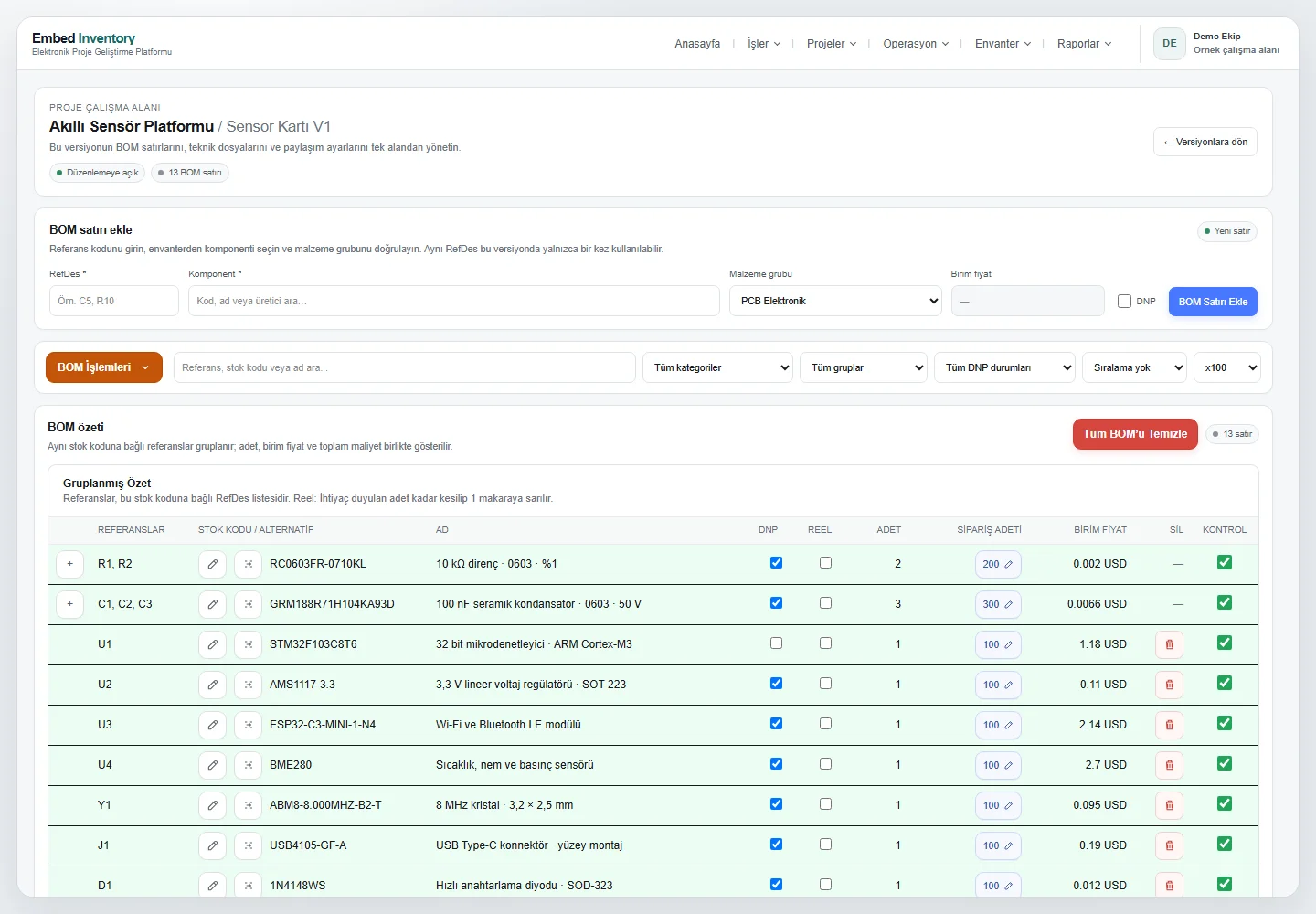
Embed Inventory BOM workspace showing components, reference designators, order quantities and unit prices
Application screen with example data · BOM workspace.

Compare supplier data together

MouserÖzdisanLCSCUnikey

01 / BOM and costing

Cost your board for the quantity you need.

Build your BOM using component codes and reference designators. Change the production quantity to review order amounts, applicable unit prices and line totals together.

  • Costing by quantity and price break
  • Clear DNP and missing-price states
  • Separate subtotals for different currencies
Explore BOM management (TR)
Embed Inventory BOM table showing components, order quantities and unit prices
Application screen with example data · BOM

02 / Projects and versions

The product, its subsystems and every board. Clearly organised.

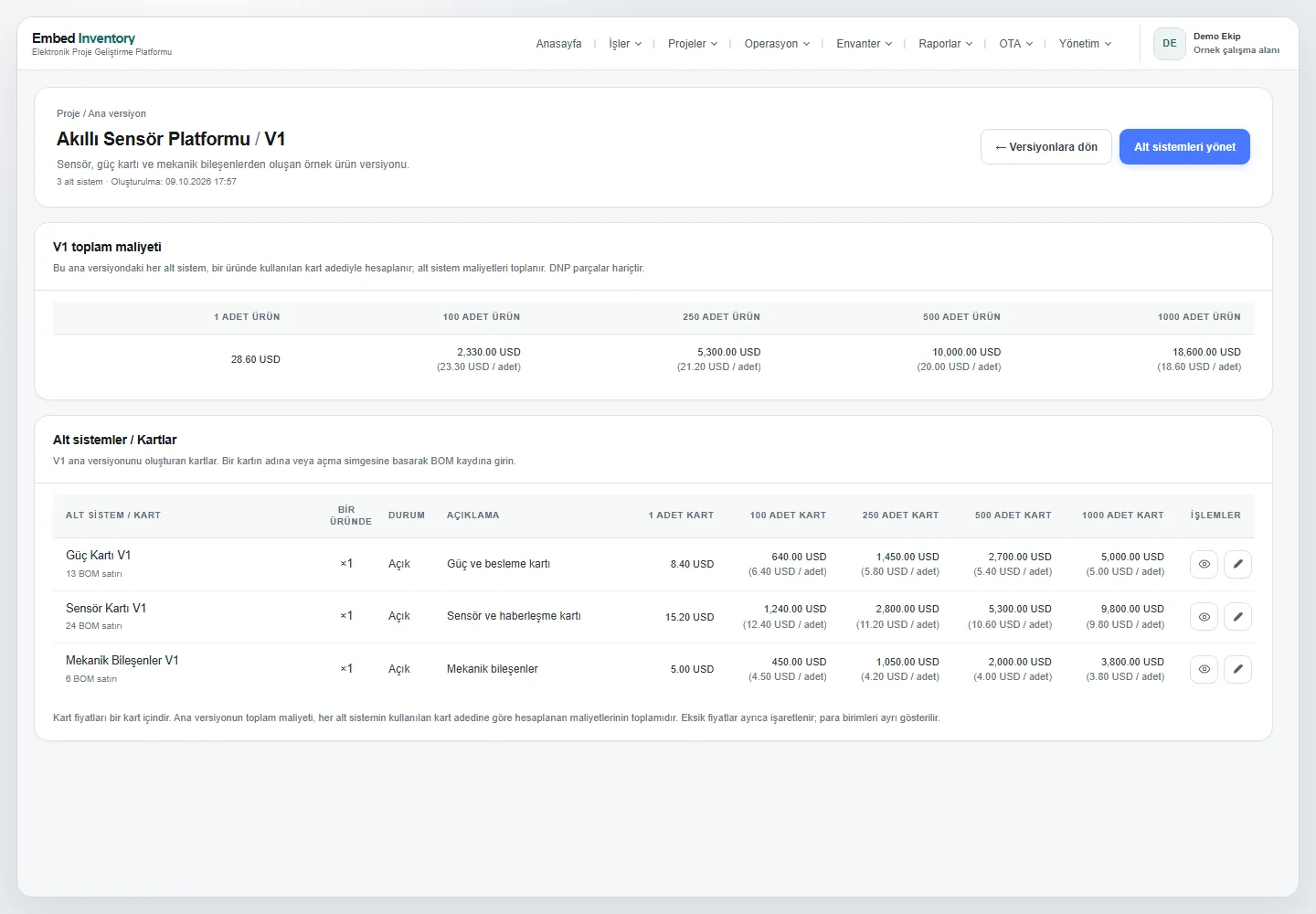
Manage main versions and their boards together. Keep each subsystem BOM independent while reviewing the combined product cost at the main-version level.

  • Project → main version → subsystem structure
  • Combined costs based on board quantities
  • Copy a BOM into another main version with a new name
Explore project versions (TR)
Embed Inventory project main versions, subsystems and quantity-based total cost table
Application screen with example data · Project versions

03 / Engine Search

Search one MPN. Compare suppliers together.

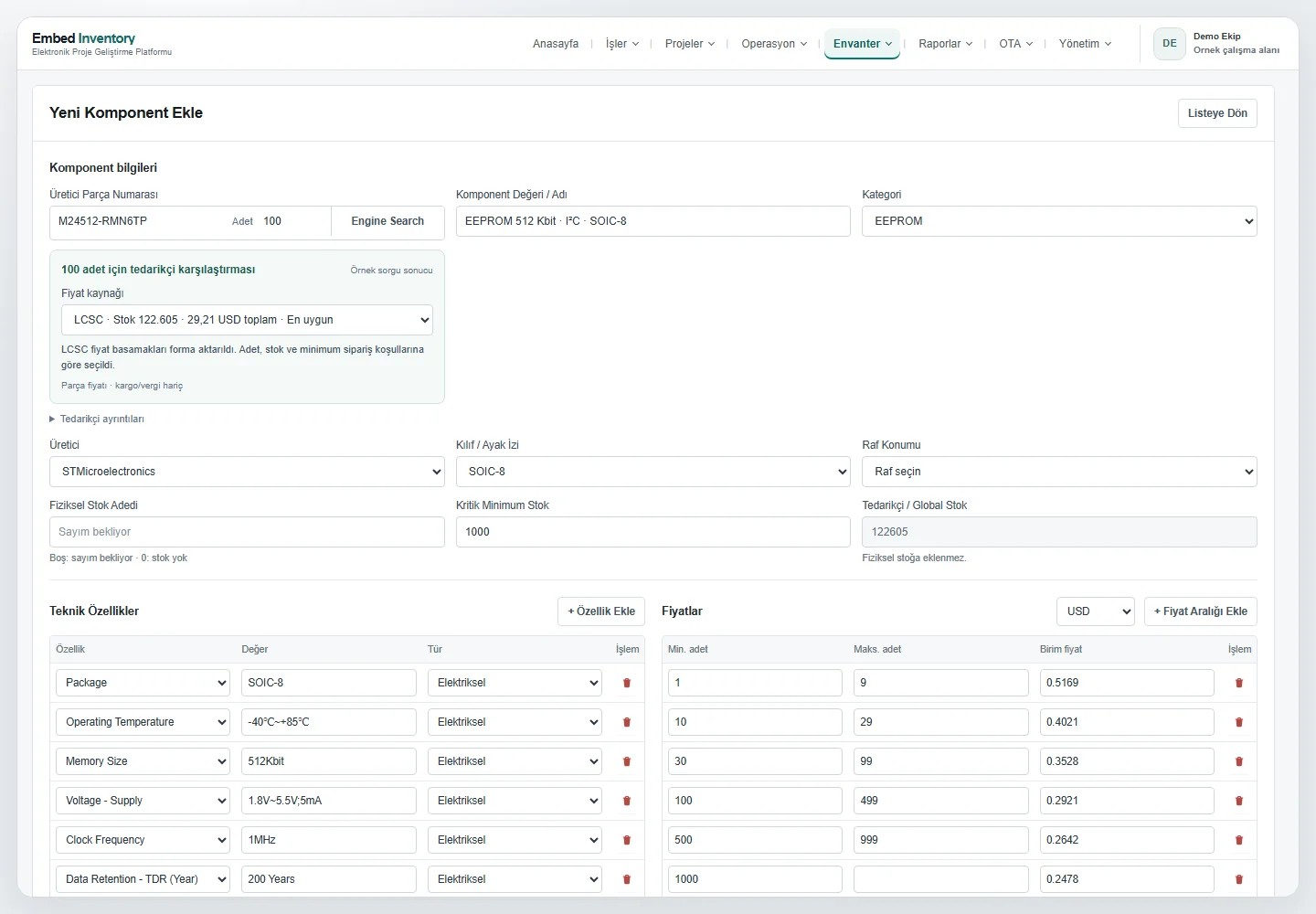
Review Mouser, Özdisan, LCSC and Unikey results in one search. Compare the selected quantity, available stock, minimum order and order multiple alongside the unit price.

  • An eligible supplier recommendation for your quantity
  • Prices and technical attributes with clear sources
  • The option to choose a supplier manually
Explore supplier comparison (TR)

Component prices exclude tax and shipping. Results depend on supplier data availability.

Engine Search MPN lookup with supplier stocks, price breaks and component technical attributes
Application screen with example data · Engine Search

04 / Component inventory

Stock on your shelf is not supplier stock.

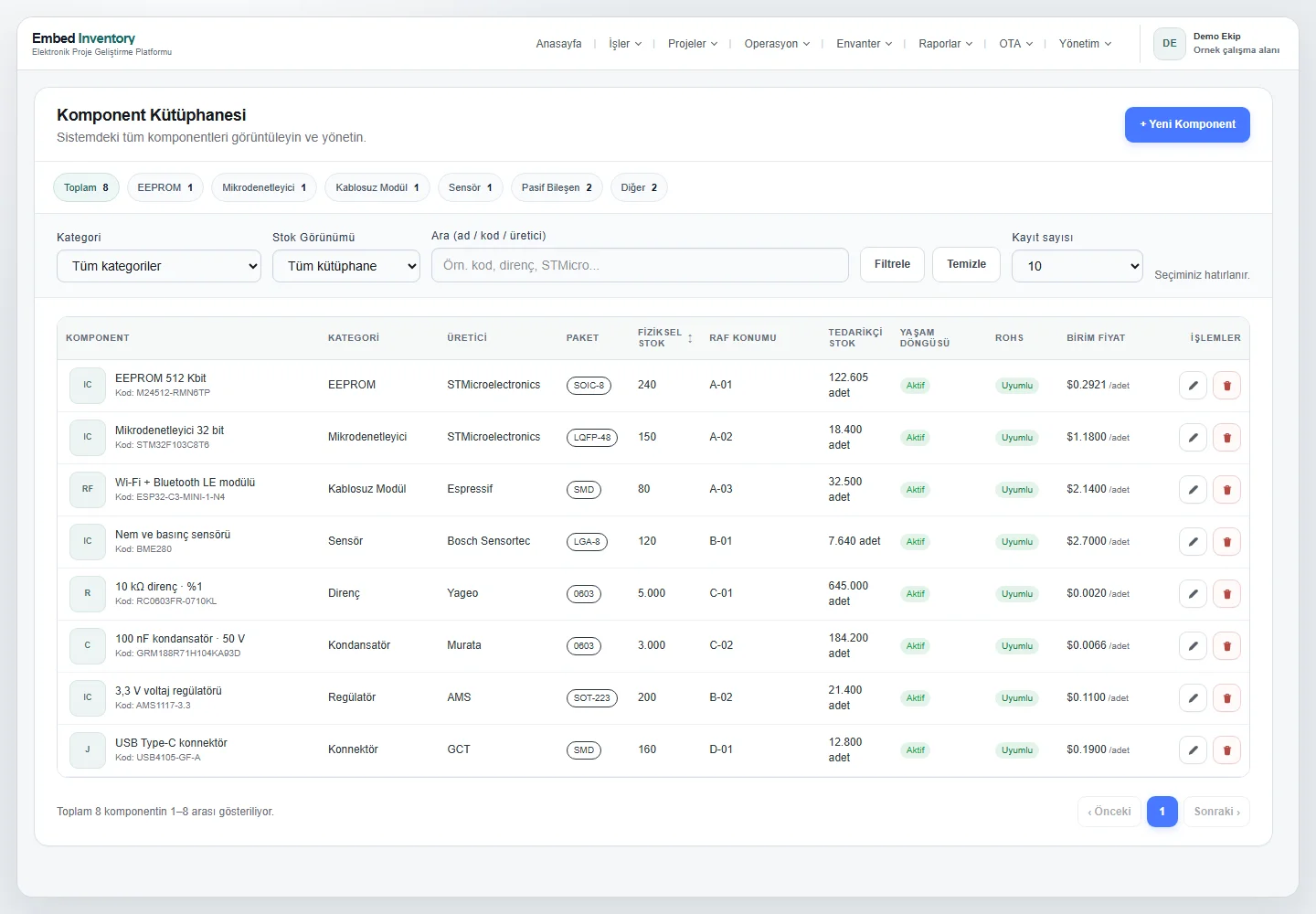
Keep physical component counts separate from supplier availability. Bring manufacturer part numbers, packages, shelf locations, technical attributes and price ranges into one component record.

  • Physical stock and shelf-location tracking
  • Separate availability and check information for each supplier
  • Regular availability checks for MPNs used in projects
Explore component inventory (TR)
Embed Inventory electronic component inventory and MPN-based stock tracking
Application screen with example data · Component inventory

Beyond the design stage

Track production.
Keep your project files safe.

05 / Production and purchasing

Keep orders and delivery dates in view.

Track project production and independent component orders together. Keep suppliers, quantities, order values and expected delivery dates in one table.

Explore production and purchasing (TR)
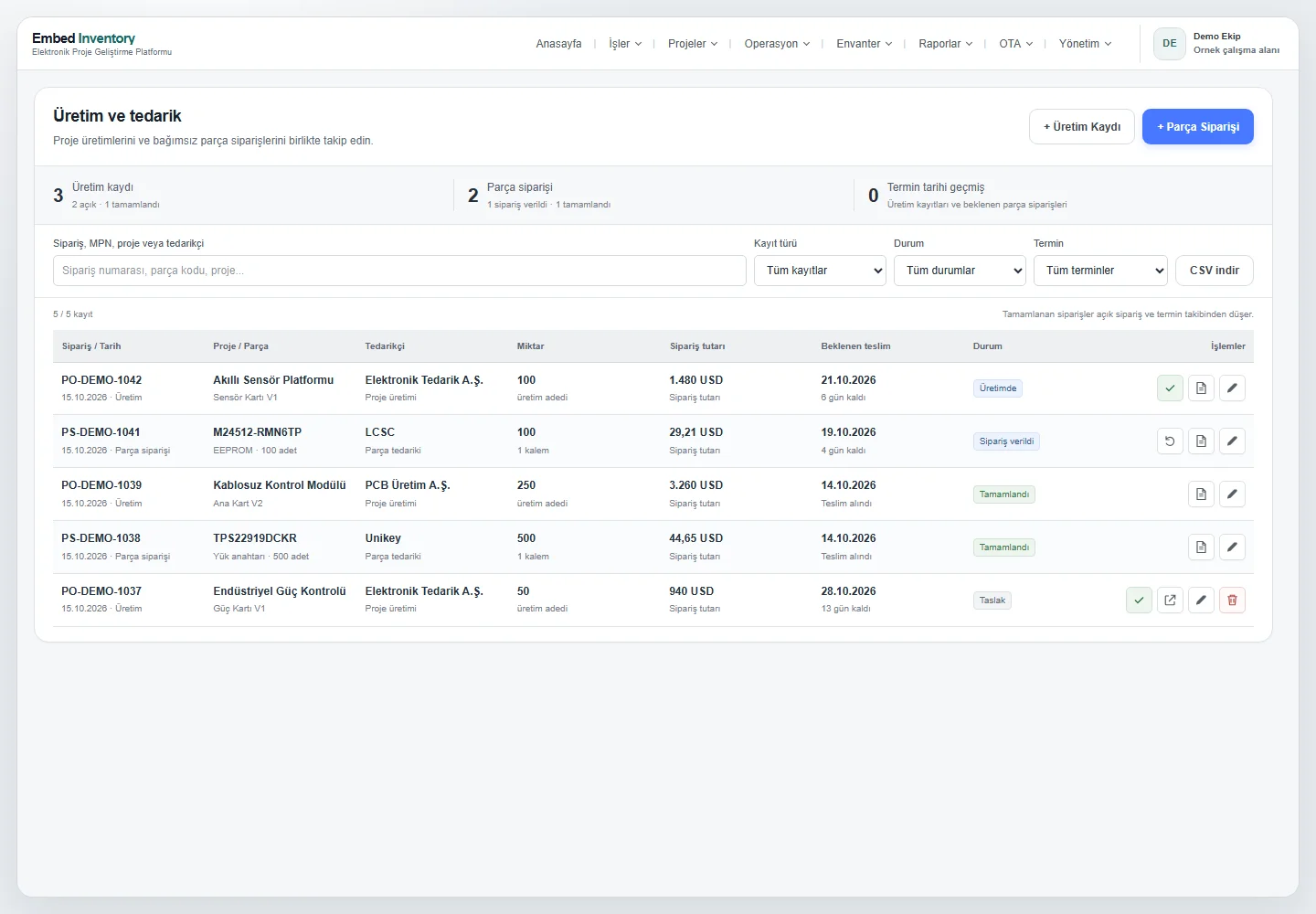
Production records and component orders with delivery dates and status tracking
Application screen with example data

06 / EmbedPro · Windows

Dated project-folder backups, ready when you need them.

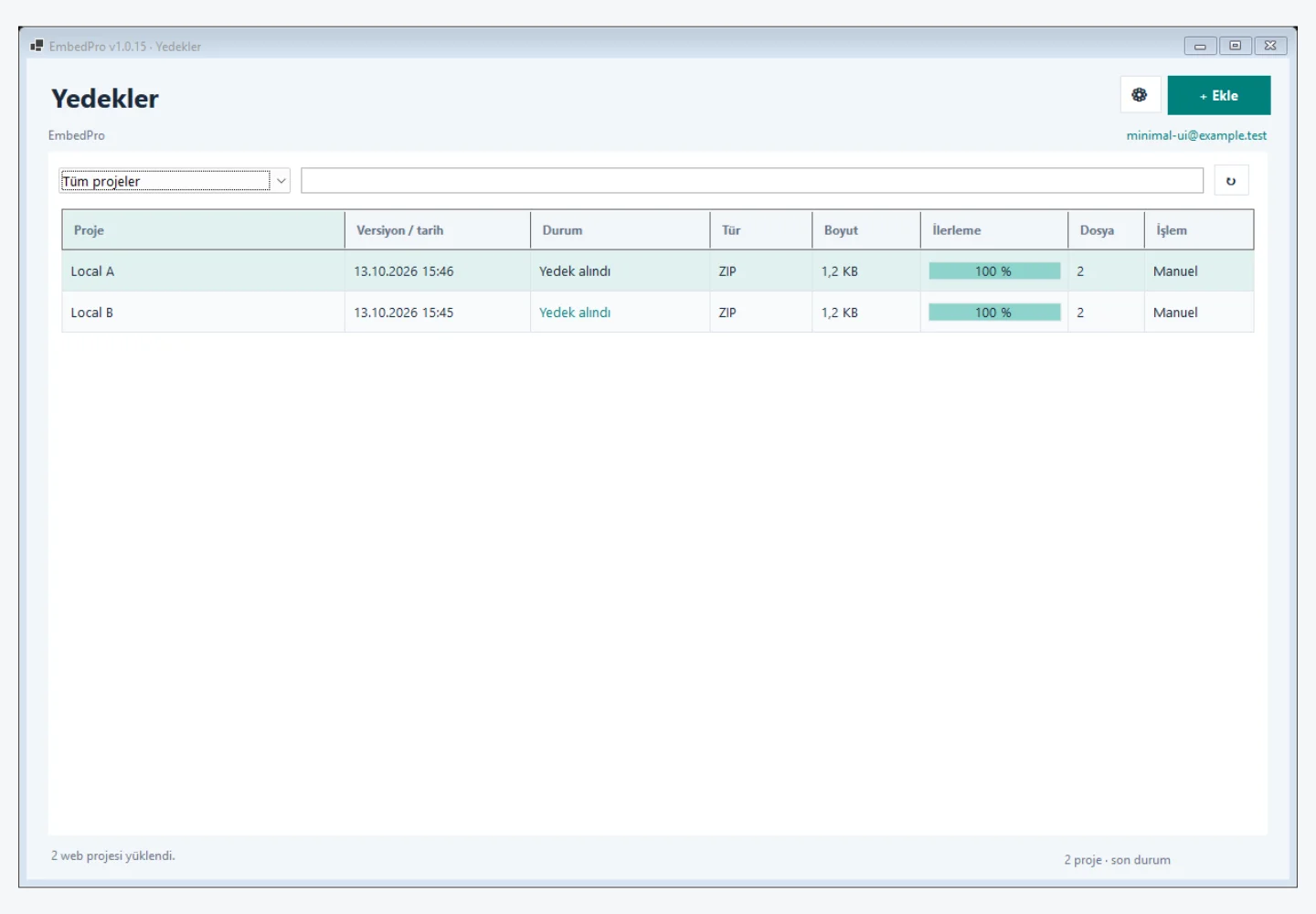
Link a folder to your project. EmbedPro stores ZIP backups on your server by project name and date. Choose a backup frequency per project, then download and restore previous versions.

Explore EmbedPro (TR)

While Windows is running, the background service continues even when the app window is closed.

EmbedPro Windows app showing project backups and dated ZIP versions
Application screen with example data

Frequently asked questions

A few things you may be wondering.

Get in touch to discuss how it could fit your own project structure.

Let’s take a look
Who is Embed Inventory designed for?

Engineering teams designing electronic boards, maintaining component inventory and preparing for production. R&D, purchasing and production teams can work with connected BOM, project-version and supplier information.

Does supplier stock become my physical inventory?

No. Your physical inventory and Mouser, Özdisan, LCSC and Unikey availability are shown separately. Supplier availability does not mean a component is on your shelf.

Can I calculate a BOM cost for different production quantities?

Yes. The selected production quantity, component requirements and applicable price break are considered together. Missing prices are identified, and BOM subtotals are shown separately for each currency.

Is EmbedPro only for Proteus projects?

No. You select a folder, and its subfolders and project files are backed up together. The Windows background service continues scheduled backups while the computer and connection are available.

Let’s talk about your project

Let’s see your workflow, more clearly.

Tell us how you manage BOMs, component inventory and project versions. We can explore a workflow for your team using the actual product.

info@embedinventory.com +90 534 487 98 02

Get in touch for a product introduction.

Request a demo

Tell us a little about your team and what you need.

We use your information to respond to your request. Privacy policy